
Login to your store, and select the team account.
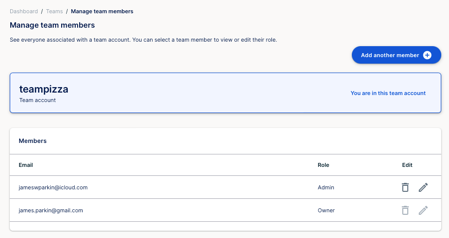
Click on team members on the left side navigation panel.
Find the team member you wish to modify.
Click on the pencil next to their name.
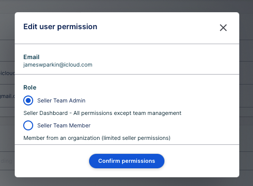
Select the new permission you wish to assign to the member, and press confirm permissions.
You will get a message confirming the permissions have been changed.

Modifying an existing member’s permissions
You may wish to modify the permissions of one of your team members. To do this follow the steps below.
Did this answer your question?
😞
😐
😁