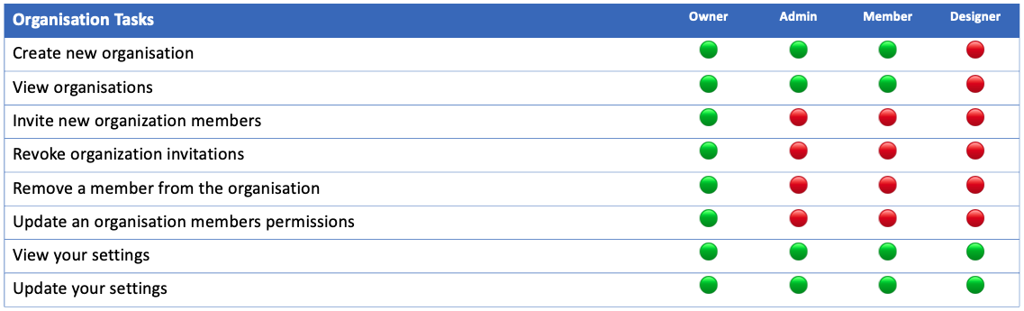
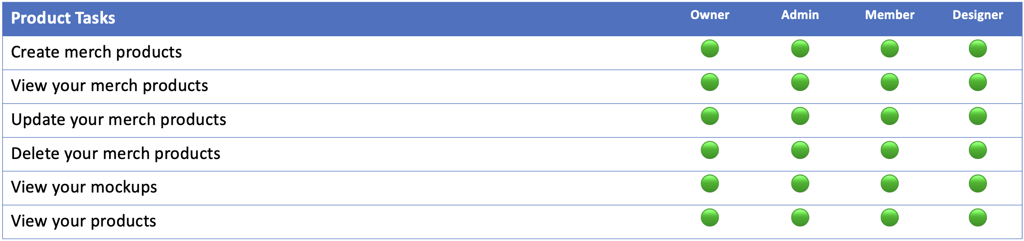
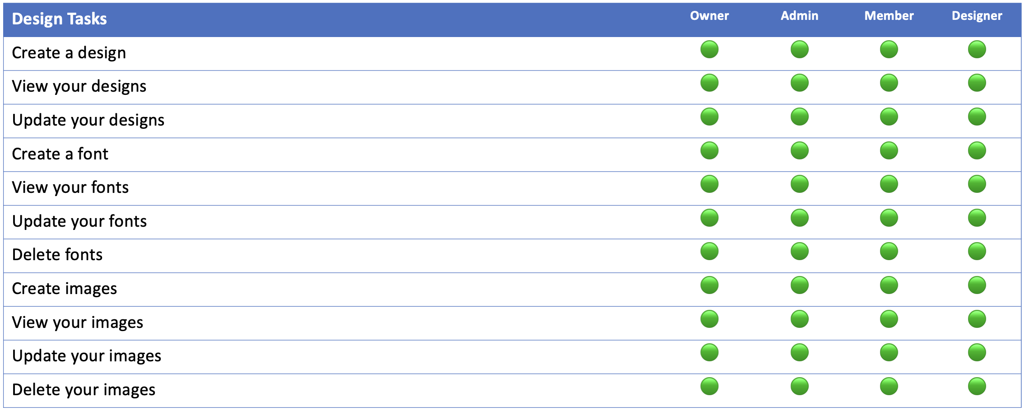
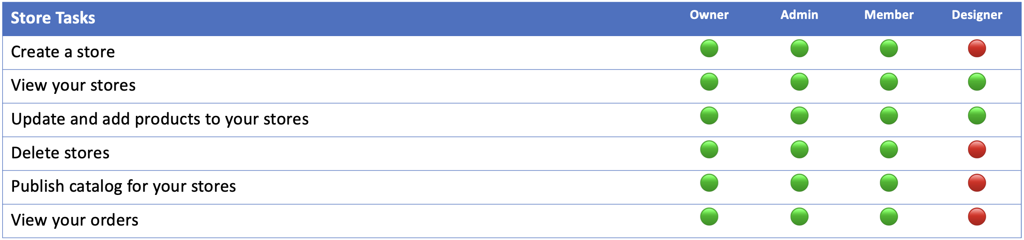
There are 4 levels of permission within your team organization. They are;
· Owner – This will be the owner of the store.
· Admin – This will be the same as the team member but with elevated permissions.
· Member – This allows the user to perform most tasks, but some are restricted.
· Designer – This allows the user to create products and launch campaigns only.
You should choose the permission you want to assign to people with the following information in mind. The permission they have will determine the tasks they are able to perform.