Login to TikTok Ads Manager https://ads.tiktok.com
From the Nav bar, select Tools → Events.
This will open a new window for events manager.
Click on Get started.
Choose Web, and press next.
Choose manual setup and press next.
Choose TikTok Pixel and Events API and press next.
Give your pixel a name, and press create.
On this screen press next.
Toggle on the option for Enable Automatic Advanced Matching, and press next.
Now we need to set up the events. Press switch to custom code.
Start by removing the events the Mayzing store does not use. These events are as below.
Add To Wishlist
Search
Place an Order
Complete Registration
This should leave us with the following events.
View content
Add payment info
Add to cart
Initiate checkout
Complete payment
We need to add 3 event parameters for each of these events. They are as follows.
content_category
price
num_items
Once you have added all these press next.
Press next on this screen.
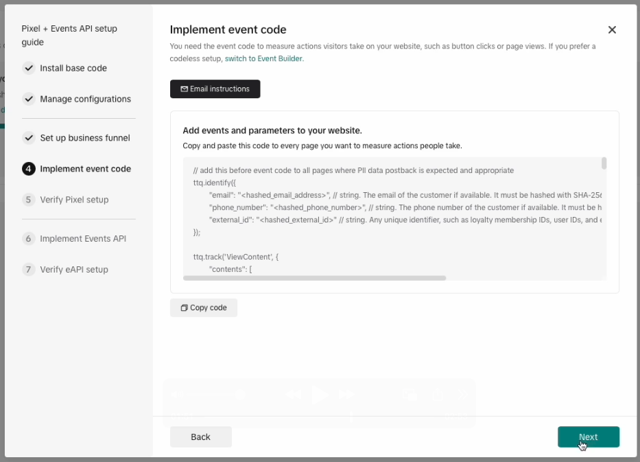
And press next on this screen.
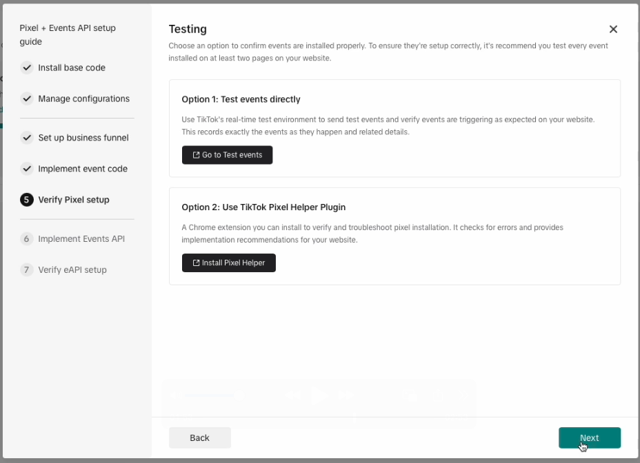
Your TikTok pixel will be shown on this screen. You can copy it here, as we’ll be using it shortly.
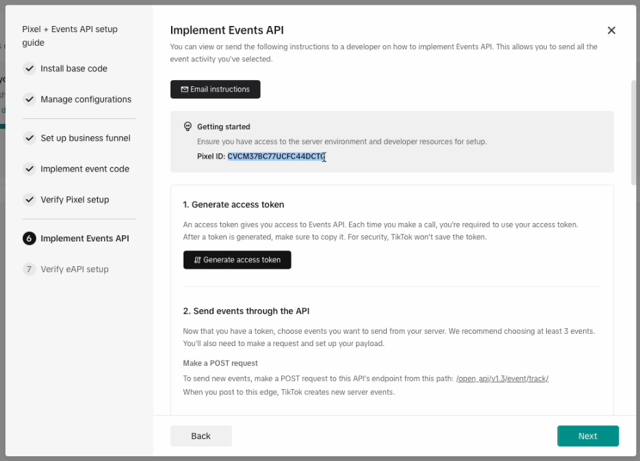
Press next, and then finish.
In dashboard.mayzing.com, go to your Store, and select Data Tracking
Add the Pixel ID in the TikTok section, and click Save TikTok Tracking
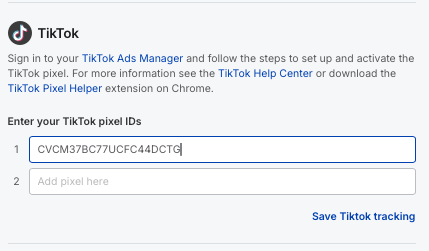
Event data should be collected in the TikTok Event Manager - please see the appropriate documentation for how to track and manage events, and create Ads, on TikTok Ads Manager.
You can verify the Pixel is correctly configured using the Tiktok Pixel Helper.
Important
It can take up to 24 hours before Funnel data shows in TikTok Event Manager. Additional, we have observed that Funnel data also will not be computed until at least 50 events have been recorded by Tiktok. If you have less events that this, try navigating the store until there are sufficient events
As per our previous Mayzing platform (Moteefe.com), our new platform is only sending the value event property on the Complete Payment event. You may receive warnings on other events regarding missing value property. Please speak to your Mayzing Support representative if you have any concerns regarding this.
