Tạo mã giảm giá

Bài viết này hướng dẫn bạn cách tạo mã phiếu giảm giá

info icon
Nếu cửa hàng của bạn đã có chương trình giảm giá áp dụng cho toàn cửa hàng, chương trình đó sẽ được ưu tiên. Người mua sẽ không được giảm thêm 10%.

Để tạo mã phiếu giảm giá, hãy làm theo các bước dưới đây

  1. On the Mayzing Dashboard, click on promotions, then store promotions.

  2. Click on create promotion.

  3. Give your promotion a name, something to help you identify it later. Something like Coupon Code.

    The promotion name field shows “Coupon Code” beneath the Promotion name label, with a note that customers won’t see it. Visible: Promotion name, Used to identify the promotion later. Customers won't see this., Coupon Code.

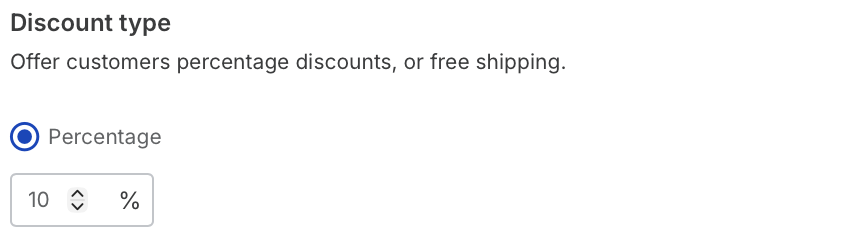
  4. Choose your level of discount

    The Discount type section shows Percentage selected with a discount value of 10%. Visible: Discount type, Offer customers percentage discounts, or free shipping., Percentage, 10, %.

  5. If you want to add a minimum cart value, you can in the next section.
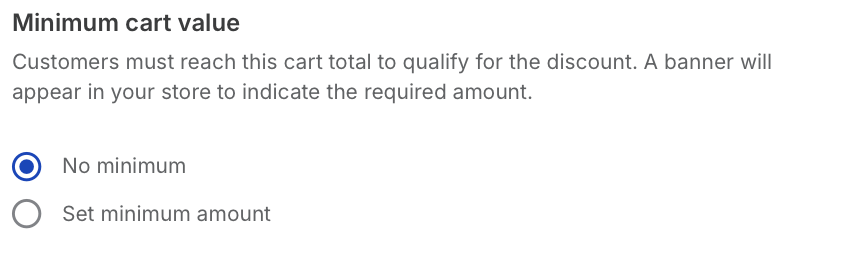
    The Minimum cart value section shows No minimum selected and Set minimum amount unselected. Visible: Minimum cart value, Customers must reach this cart total to qualify for the discount. A banner will appear in your store to indicate the required amount., No minimum, Set minimum amount.

  6. Now under discount method. Select Coupon code.
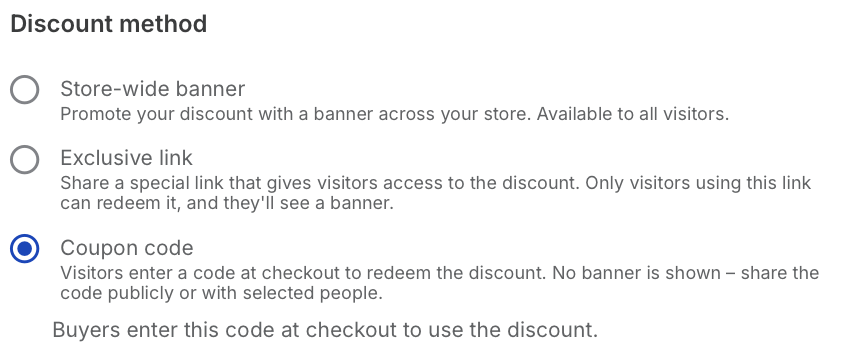
  7. Choose your coupon code. In this example we’ll call it TENPERCENT.

    Checkout coupon code field contains “TENPERCENT” and has a blue focus outline. Visible: Coupon code, TENPERCENT.

  8. Press create discount.

  9. Publish your store.

  10. Now you can send your coupon code to your selected audience. When they get to the cart and add the coupon code. It will give them 10% Off.
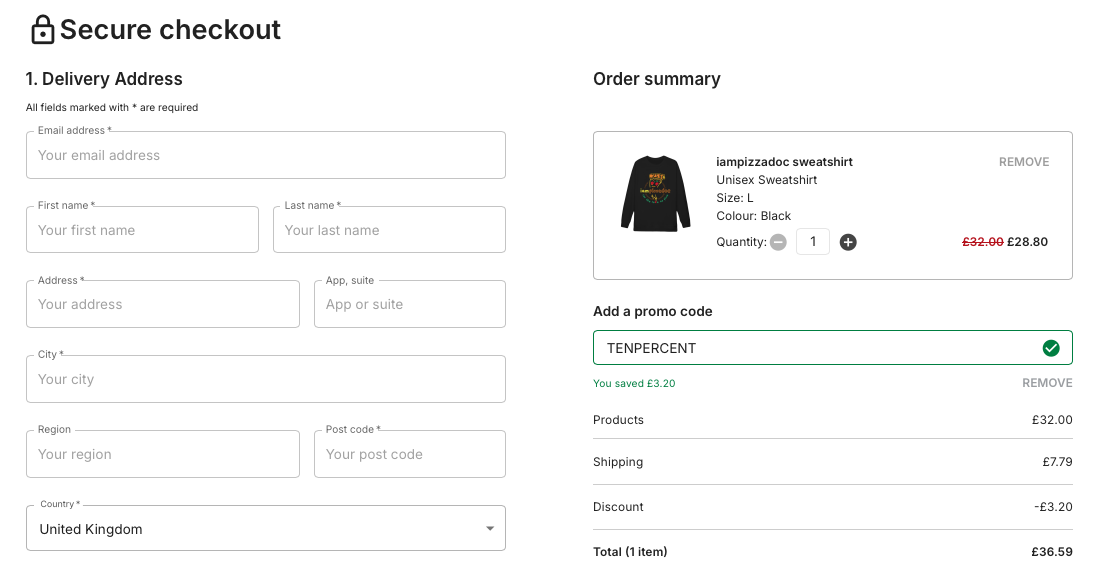
    Secure checkout screen with delivery address fields on the left and an order summary with a sweatshirt, applied promo code, and total on the right. Visible: Secure checkout, 1. Delivery Address, All fields marked with * are required, Email address *, First name *, Last name *.

Câu trả lời này có giải đáp được câu hỏi của bạn không?
😞
😐
😁