Our previous promotion setup was designed around manually selecting individual products for cross-sells and upsells. While this works well for smaller stores, it becomes increasingly difficult to manage as your product range grows.
The new Promotions Engine takes a different approach. Instead of managing individual product pairings, you can create promotions using rules and conditions, making it much easier to build, manage and scale your promotion strategy.
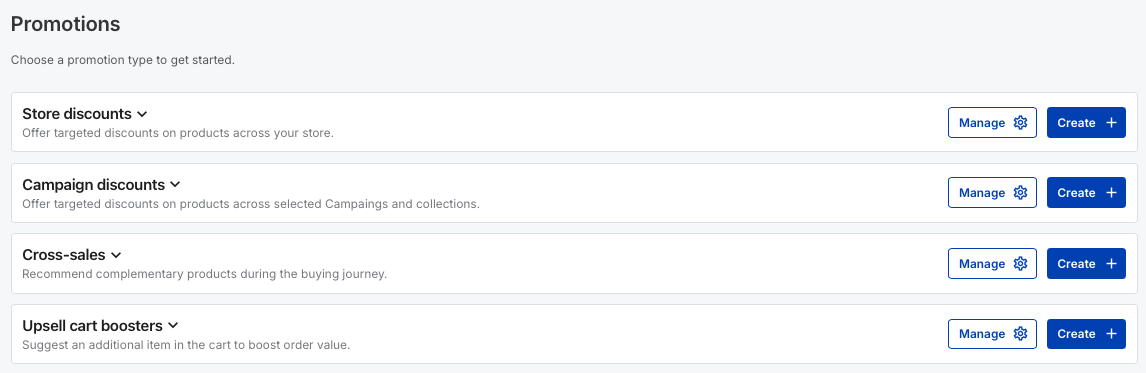
For example, you can now create a cross-sell promotion for all campaigns that belong to a particular collection or share a specific tag — all within a matter of minutes.
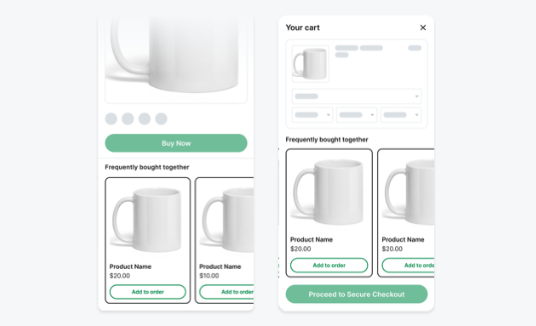
Once you've created the rule, you don't need to continually update the promotion as your store grows. Any new campaign that meets the same conditions will automatically be included in the promotion.
This means less manual configuration and a promotion strategy that can scale alongside your store.
The new Promotions Engine also gives you:
More control over which promotions are displayed and who sees them
Better visibility into which promotions are currently live and how they're performing
Cross-sells on Campaign pages and in the cart, creating more opportunities to increase order value
Customisable promotional messaging to better match your store and offers
Access to new promotion types as we continue expanding the Promotions Engine
As part of the transition, your existing promotions will be migrated to the new Promotions Engine.
There should be no disruption to your store or to buyers placing orders during the transition.
Once your store has been migrated, you'll manage your promotions through the new Promotions section rather than the previous cross-sell, upsell and discount setup.
No action is required before the transition.
Once your store has been migrated, we recommend visiting the Promotions section to familiarise yourself with the new setup and review your migrated promotions.
We'll continue adding new capabilities to the Promotions Engine over the coming months, including additional ways to create compelling offers and increase cart value.
If you have any questions after your store has transitioned, contact the Mayzing team via the support chat and we'll be happy to help.
Click on the articles below for a full explanation on how to use each Promotion type.
Creating a Store Discount
This article will show you how to create a Store discount.
Creating an Upsell cart booster
This article will show you how to create an Upsell cart booster.
